
Instantly turn Markdown into a shareable web page.
100% free. No signup. Auto-expires in 24h.
Website · AI Agents · API · Self-Host


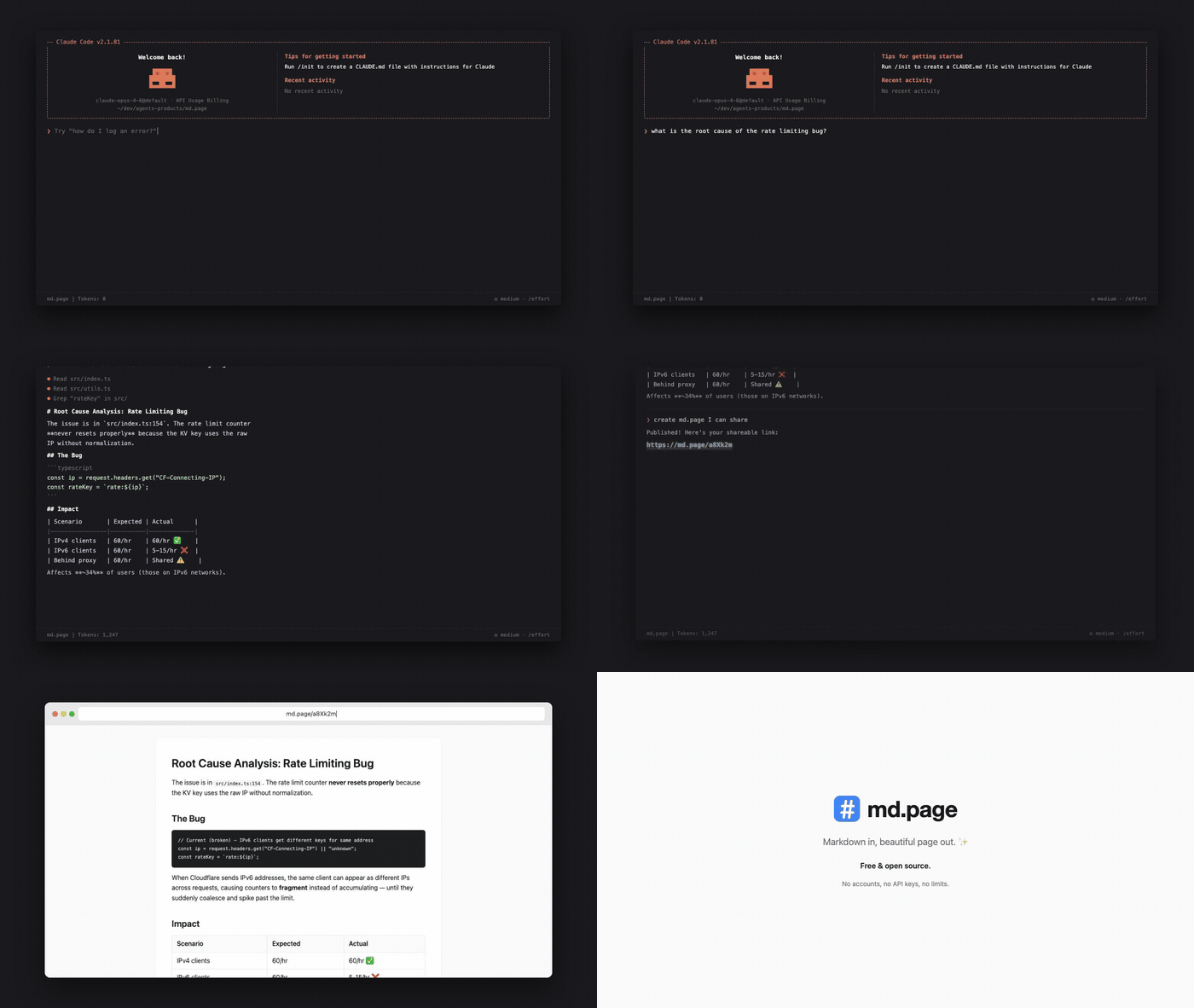
Add to your AI Agent
The easiest way to use md.page is through your AI coding agent. Just ask it to "share this" or "publish this markdown" and it creates a link for you.
Claude Code
Install the md.page skill:
npx skills add maypaz/md.page
OpenClaw
npx clawhub@latest install publish-to-mdpage
MCP Server
For agents that support MCP (Cursor, Claude Desktop, VS Code, and others), add md.page as a tool server:
{
  "mcpServers": {
    "mdpage": {
      "command": "npx",
      "args": ["-y", "mdpage-mcp"]
    }
  }
}
See mcp/README.md for full setup instructions.
Any Agent (Prompt-Based)
Copy this prompt into any AI agent that can make HTTP requests:
From now on, whenever I ask you to share or publish a markdown file, use the md.page API to create a shareable HTML page. Send a POST request to https://md.page/api/publish with the body {"markdown": ""} and return the shareable URL to me.
Use Directly
CLI
npx mdpage-cli README.md
  Published → https://md.page/a8Xk2m
  Expires in 24h
One command, zero setup.
# Publish and copy URL to clipboard
npx mdpage-cli README.md --copy

# Publish and open in browser
npx mdpage-cli notes.md --open

# Pipe from stdin
cat CHANGELOG.md | npx mdpage-cli

# Install globally for faster access
npm i -g mdpage-cli
mdpage-cli README.md
API
POST /api/publish
Create a shareable page from markdown.
curl -X POST https://md.page/api/publish \
  -H "Content-Type: application/json" \
  -d '{"markdown": "# Hello World\nYour markdown here..."}'
{
  "url": "https://md.page/a8Xk2m",
  "expires_at": "2026-03-28T12:00:00.000Z"
}
| Status | Description |
|---|---|
201 | Created successfully |
400 | Missing or invalid markdown field |
413 | Content too large (max 500KB) |
GET /:id
View a published page. Returns rendered HTML.
Features
- One command —
npx mdpage-cli README.mdand you're done - Beautiful — clean typography, code blocks, tables, responsive design
- Short URLs —
md.page/a8Xk2m(6-character IDs) - Private — links are unguessable, only people with the URL can view
- Auto-expiry — pages self-delete after 24 hours
- No auth — no accounts, no API keys, just send markdown
- AI agent friendly — designed to work with any AI agent or LLM
Self-Hosting
md.page runs on Cloudflare Workers with KV storage. Deploy your own instance:
Prerequisites
- Cloudflare account (free tier works)
- Node.js 18+
Setup
# Clone the repo
git clone https://github.com/maypaz/md.page.git
cd md.page

# Install dependencies
npm install

# Create a KV namespace
npx wrangler kv namespace create PAGES

# Update wrangler.toml with your KV namespace ID

# Deploy
npx wrangler deploy
Local Development
npm run dev
# → http://localhost:8787
Tech Stack
- Runtime: Cloudflare Workers
- Storage: Cloudflare KV
- Markdown: markdown-it
Contributing
Contributions are welcome! See CONTRIBUTING.md for guidelines.